
Download and install SamparkWA.
Two installation methods are available. Both take under five minutes. No credit card, no account sign-up, and no backend infrastructure required.
Install from Chrome Web Store
One-click installation verified by Google's automated security review. Includes background automatic updates as new versions are published.
Download standalone .zip archive
For security auditors, enterprise workstations, or developers who prefer manual inspection. Load unpacked via developer mode in any Chromium browser.
a1b2c3d4e5f6789012345678901234567890abcdef1234567890abcdef123456How to load the unpacked extension in four steps.
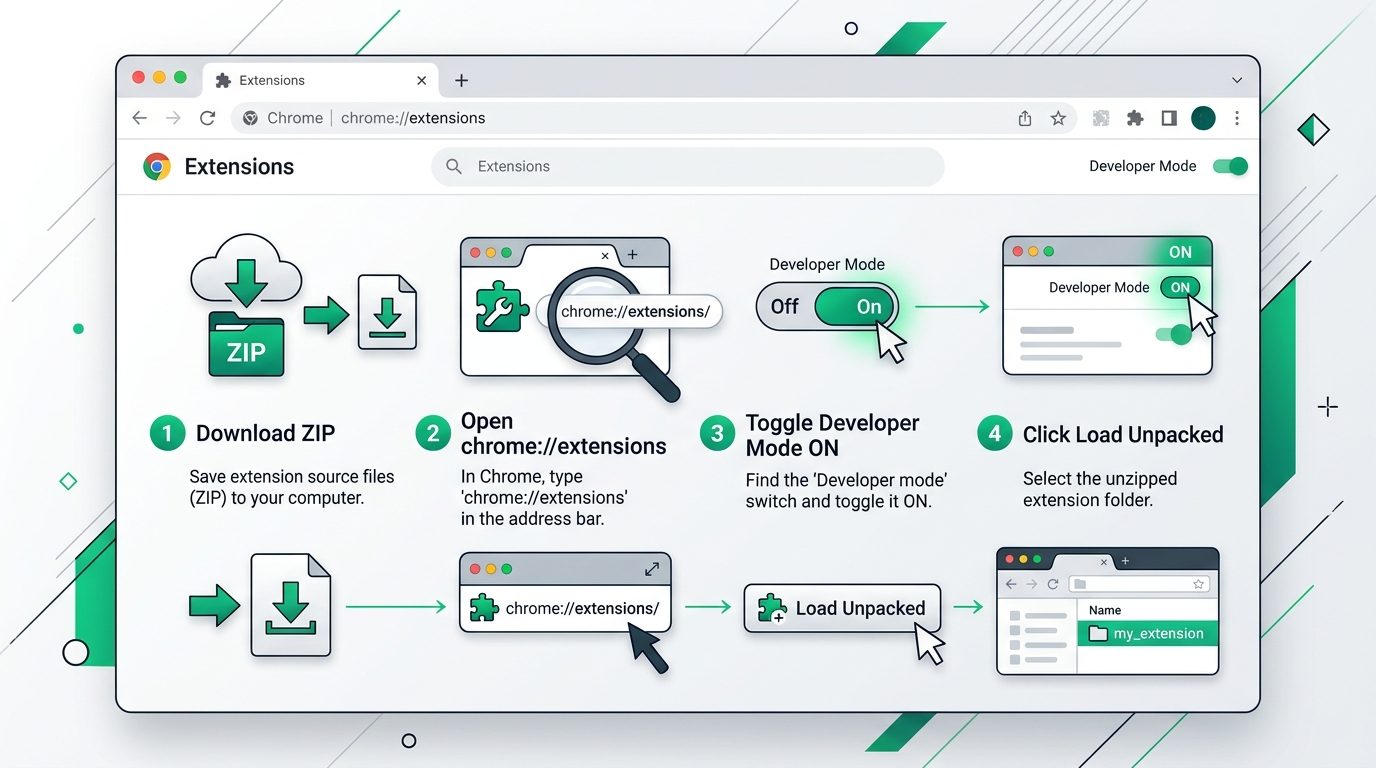
Extract archive
Unzip samparkwa-latest.zip to a persistent folder on your local drive.
Open extensions
Type chrome://extensions in your URL address bar and press Enter.
Enable developer mode
Turn on the 'Developer mode' toggle located at the top-right corner.
Load unpacked
Click 'Load unpacked' and choose the unzipped directory to activate.
Browser compatibility matrix.
SamparkWA executes inside any browser based on Chromium 88+.
| Browser | Minimum version | Supported | Technical notes |
|---|---|---|---|
| Google Chrome | v88+ | Yes | Primary platform — verified support |
| Brave | v1.20+ | Yes | Full support (Chromium-based) |
| Microsoft Edge | v88+ | Yes | Full support (Chromium-based) |
| Vivaldi | v3.6+ | Yes | Full support (Chromium-based) |
| Opera | v74+ | Yes | Full support (Chromium-based) |
| Firefox | — | No | Not supported (different extension API) |
| Safari | — | No | Not supported (Safari API incompatibility) |
Release notes and audit history.
- •CSV import with automatic formula injection sanitization (=, +, -, @ prefixes)
- •E.164 phone number validation with automatic international format prefixing
- •Multilingual template engine supporting English, Hindi (हिन्दी), and Hinglish
- •Dynamic variable chip auto-fill system from CSV column names
- •Human-in-the-loop campaign state machine: queued → prepared → manually_confirmed → sent
- •Persistent opt-out registry backed by IndexedDB storage
- •SamparkWA Assistant Dock integrated directly inside WhatsApp Web
- •25+ pre-configured templates across five business verticals
- •Chrome Manifest V3 compliance with zero unnecessary permissions
- •Decoupled WhatsApp Business Cloud API upgrade module
Sample customer contact spreadsheet
Download a reference CSV to verify formatting before importing real records.
Ready to message customers with zero ban risk?
Add to your Chromium browser and start drafting in five minutes.